
Quick Tip: Measure Anything on a Website with MeasureIt Firefox add-on
Do you ever need to know the size of a window, a banner, or a column on a website, but have no idea how to measure it? Well, if you’re using the Firefox browser, now you can download the MeasureIt add-on.
Once you download the MeasureIt add-on, you’ll notice a  ruler icon on the lower left-hand corner of your browser window. To measure anything on your screen follow these simple steps:
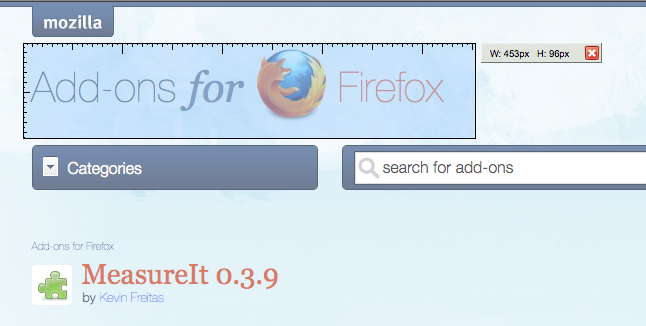 Click on the ruler icon and your mouse pointer will change to a plus sign.
- Click and drag your mouse over anything on your screen to measure it. (You’ll notice that while you drag you get a light blue box that looks like a ruler and a measurement in pixels is shown to right.)
- That’s it, when done just click on the ruler icon on the bottom of your screen again to exit.

 Free Stuff, Quick Tip | Yiana Palacios |
  January 21, 2010 7:27 am
 Subscribe